

Your AI assistant builds your website
Describe your project to Claude, ChatGPT or Gemini: it creates the pages, texts, images, shop and translations in TOWeb, right before your eyes, all the way to publishing.
Available only in the Studio edition of TOWeb 15, paid once, no subscription. See pricing
Why it’s different
A real website, built before your eyes
You watch it happen
With TOWeb open, every page, text and image appears on screen the moment the assistant creates it. And everything can be undone, just like your own changes.
It’s a real TOWeb website
Your website lives on your computer and opens even offline. It is published with the host of your choice, in several languages, and can be edited like any TOWeb website.
Your assistant, not ours
You work with the assistant you already know, Claude, ChatGPT or Gemini, with the subscription you already have.
How it works
Three steps, and your assistant gets to work
Turn on AI control in TOWeb
In Settings › AI, turn on “Allow AI assistants”. Access stays closed until you open it, and can be switched off in one click.
Add TOWeb to your assistant
One click on “Add to Claude Desktop”, “Add to ChatGPT” or “Add to Gemini”: TOWeb writes the configuration for you. Restart the assistant, and it’s connected.
Ask
Describe your website as you would to a web designer: your business, your pages, your languages. The assistant suggests TOWeb styles, then builds the website before your eyes.
Step by step, assistant by assistant: Driving TOWeb with an AI assistant.
Compatible
Supported AI assistants
TOWeb connects to assistants that speak MCP, the open standard that links an AI assistant to your software.
Claude
The Claude Desktop app, for Mac and Windows. One click in TOWeb, and Claude is connected.
How to connect ClaudeChatGPT
The ChatGPT desktop app and Codex share the same configuration: a single click connects both.
How to connect ChatGPTGemini
Gemini CLI, Google’s assistant that runs in a terminal, works with a free key.
How to connect GeminiAnd others: Cursor, LM Studio, which runs the AI on your computer, and Claude Code.
Examples
Built end to end by an AI assistant
Each site below was built by Claude (Anthropic) through the TOWeb MCP server, from the request shown under its screenshot, then two follow-up requests. Every assistant also received the same short brief: a set TOWeb style (named on each card) so the gallery shows eight different ones, 4 to 6 pages to start with, real photos, specific copy, TOWeb’s own blocks and features rather than code, and a final check with TOWeb’s review tool. No manual adjustment in TOWeb. Only the demo banner and the footer notice were added afterwards by Lauyan.
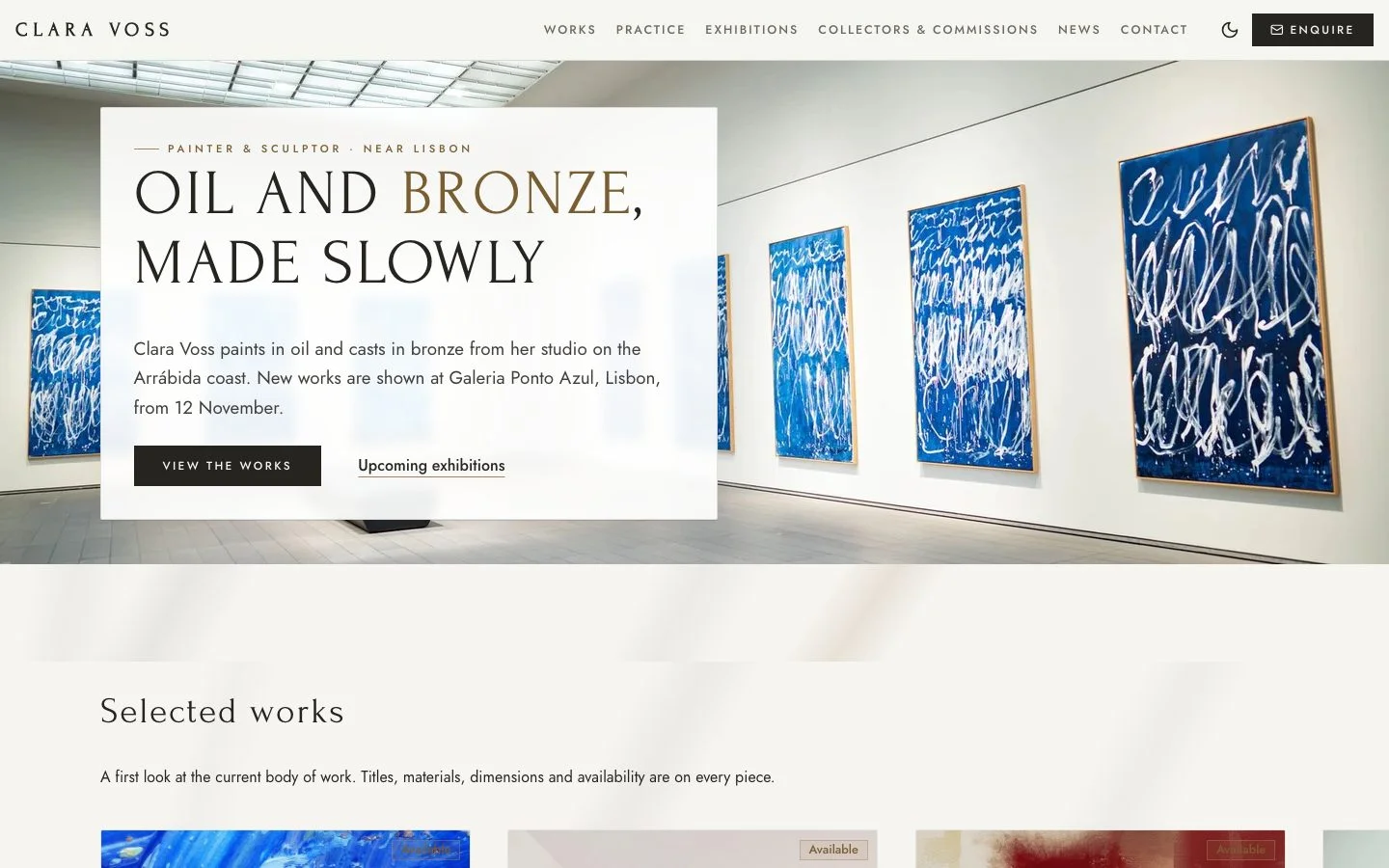
Painter and sculptor · near Lisbon
Clara Voss
Style MARBRE · English · 7 pages
“I'm Clara Voss, a painter and sculptor working in bronze and oil from my studio near Lisbon. I want an elegant, gallery-like website: a selection of paintings and sculptures with titles, materials, dimensions and availability, a page about my practice, upcoming exhibitions, a page for collectors and commissions, and a contact page. The artworks must be the heroes, not the design.”
Follow-up: “Add a short news section for my exhibitions, with one first article.”
Follow-up: “Show my latest news on the home page, list the galleries that represent me (Galeria Ponto Azul in Lisbon, Haus Lenz in Berlin, Studio Meridian in Porto) as a row of names, and add a short divider-style quote from a recent review before the contact section.”
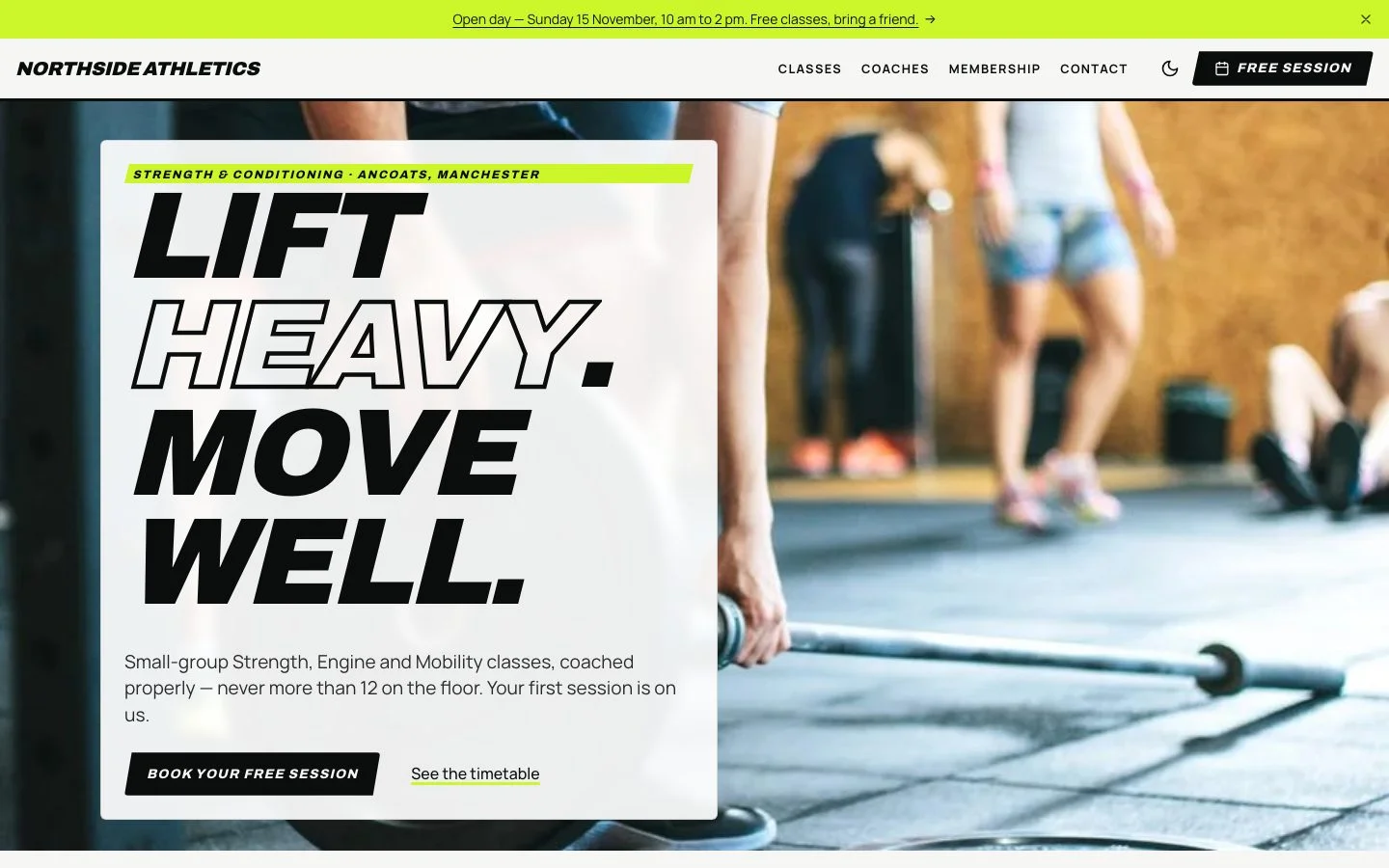
Strength and conditioning gym · Manchester
Northside Athletics
Style SPRINT · English · 6 pages
“Northside Athletics is a community strength and conditioning gym in Manchester. We run small-group classes (Strength, Engine, Mobility), personal training, and a free first session. Make it energetic and bold. Pages: classes with the weekly timetable, coaches, membership prices (three plans), a booking page for the free session, and contact.”
Follow-up: “Add a countdown on the home page to our open day on 15 November.”
Follow-up: “Show the open-day countdown as days, hours and minutes, right under the hero. Add a side-by-side comparison of our three memberships, and put this deadlift tutorial on the Classes page, crediting Starting Strength: https://www.youtube.com/watch?v=p2OPUi4xGrM”
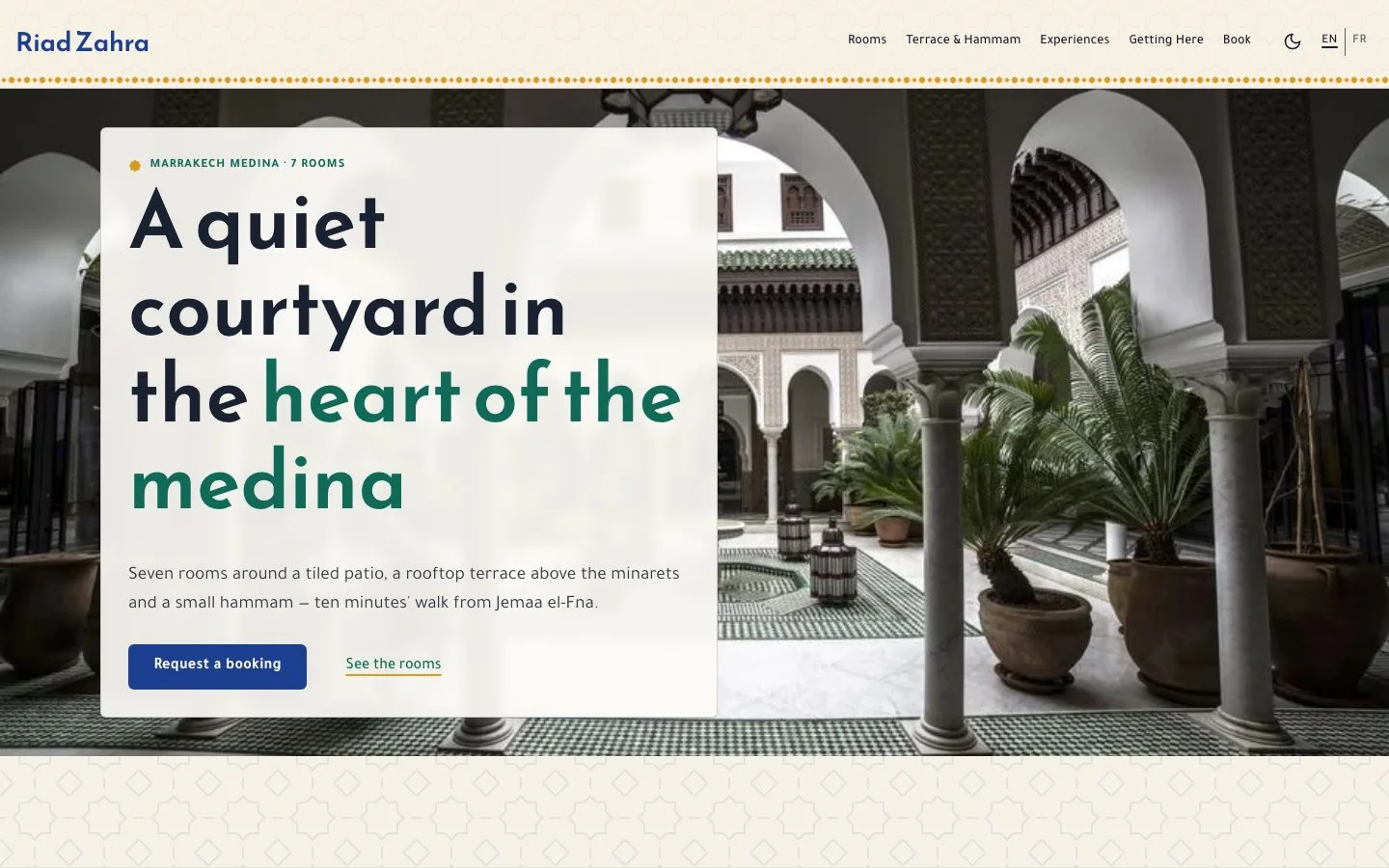
Guesthouse · Marrakech
Riad Zahra
Style ZELLIGE · English and French · 6 pages
“We run Riad Zahra, a seven-room guesthouse in the Marrakech medina with a rooftop terrace and a small hammam. Create a beautiful website in English and French: the rooms (with photos and nightly prices), breakfast and dinner on the terrace, the hammam, experiences we arrange (cooking class, desert trip, guided souk walk), how to get here from the airport, and a booking request form.”
Follow-up: “Add guest reviews on the home page.”
Follow-up: “Replace the booking request form with real online booking: guests choose their room and dates, see the nightly price and book directly (two nights minimum, check-in from 2 pm, check-out by 11 am). On the home page, add this walk through the medina, crediting its author: https://www.youtube.com/watch?v=KZLyc_Bc_N8”
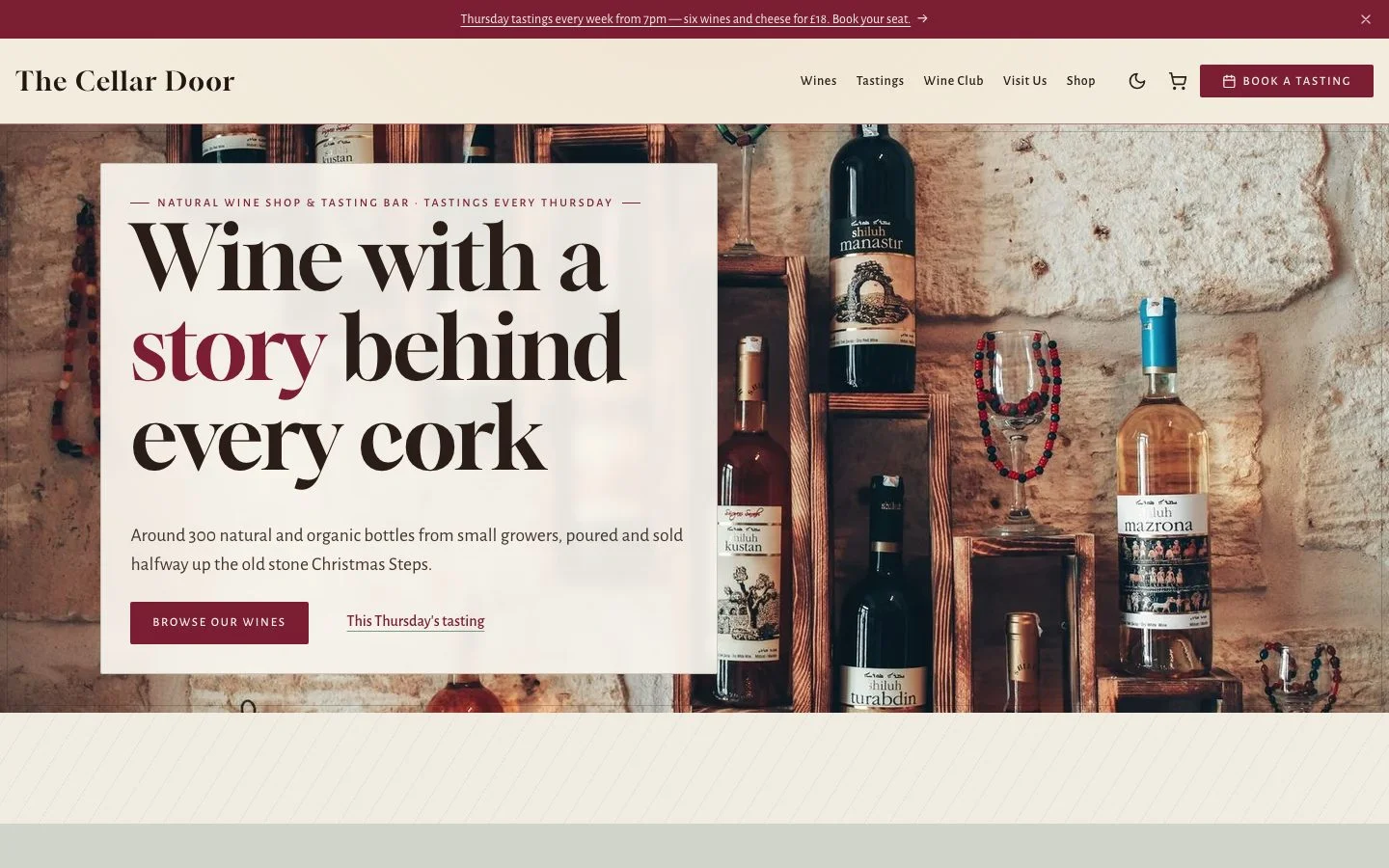
Wine shop and tasting bar · Bristol
The Cellar Door
Style CHAI · English · 6 pages
“Build a website for The Cellar Door, an independent wine shop and tasting bar in Bristol. We sell around 300 natural and organic wines from small growers, run Thursday evening tastings, and offer a monthly wine club. I'd like a warm, slightly old-world feel, pages for our wines, tastings, the wine club, and how to find us. Put six of our favourite bottles in the shop with prices.”
Follow-up: “Make the tasting evenings stand out more on the home page.”
Follow-up: “We sell alcohol: ask visitors to confirm they are 18 or over before entering the site. Add a newsletter sign-up for wine club news, a 10% welcome code WELCOME10 for a first order, and show our newest bottles on the home page.”
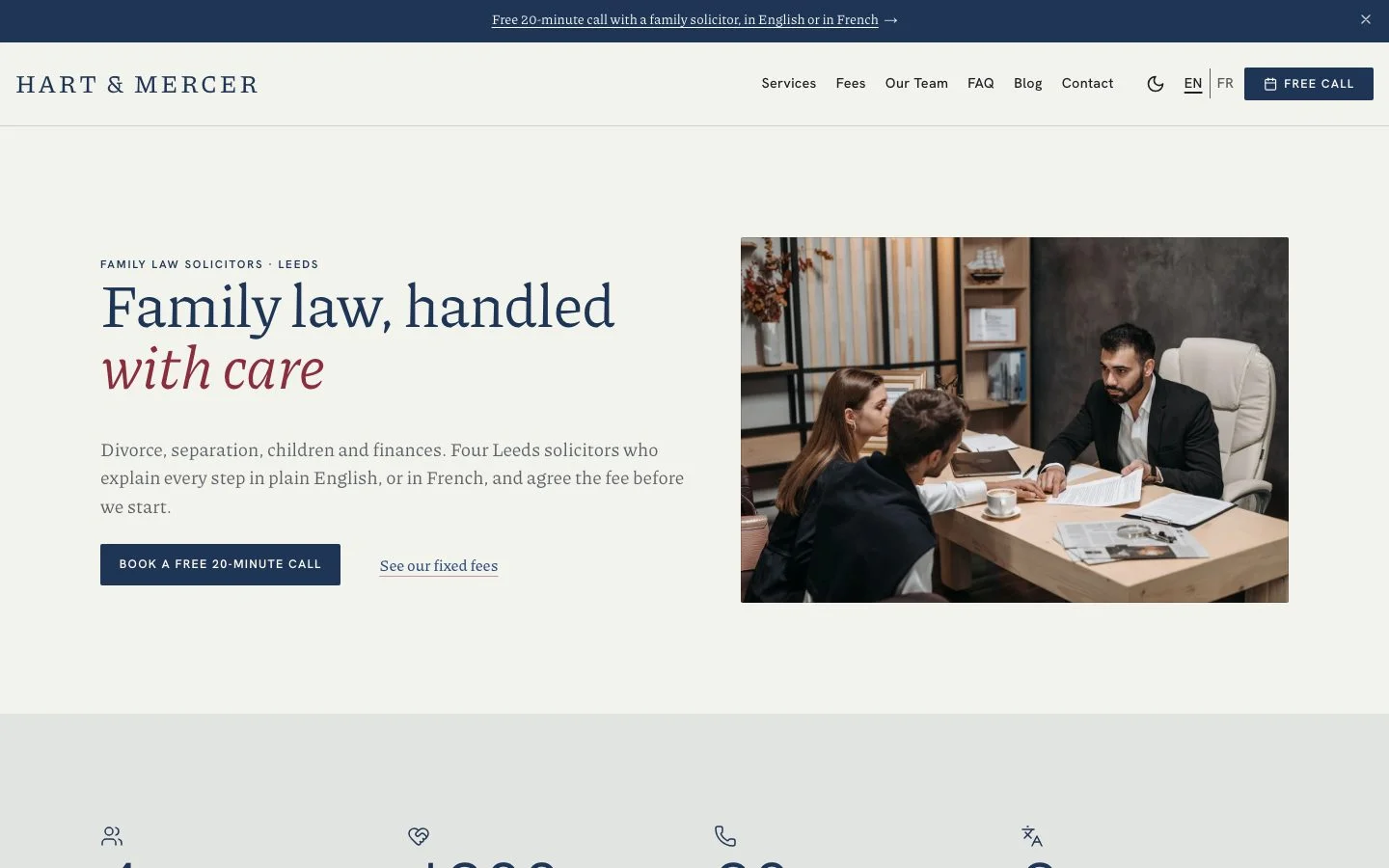
Family law firm · Leeds
Hart & Mercer
Style CABINET · English and French · 8 pages
“Create a website for Hart & Mercer, a family law firm in Leeds with four solicitors. Areas: divorce and separation, child arrangements, financial settlements, and mediation. Tone: reassuring, clear, never cold. Include the team, fixed-fee packages with prices, a FAQ, and a contact page with a booking form for a free 20-minute call. English and French, as many of our clients are French expats.”
Follow-up: “Add a short blog with two articles answering common questions about divorce in England.”
Follow-up: “Add a Guides section with three step-by-step guides (getting divorced in England and Wales, financial orders, child arrangements), each opening with a table of contents, and let clients leave a review of our service on the home page.”
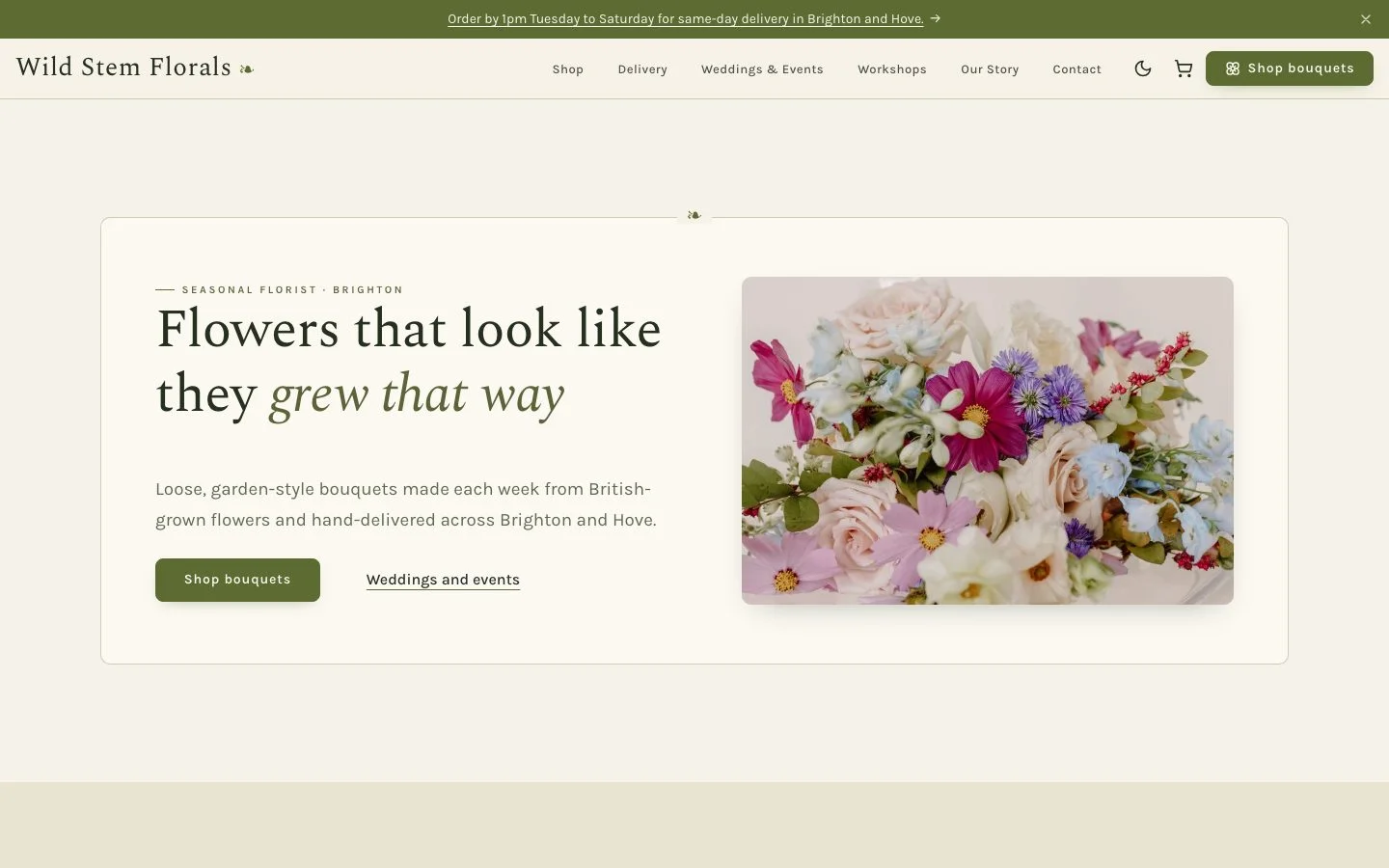
Seasonal florist · Brighton
Wild Stem Florals
Style BOTANIQUE · English · 7 pages
“Wild Stem is a seasonal florist in Brighton. We make loose, garden-style bouquets with British-grown flowers. Build a website with an online shop (8 bouquets and a monthly flower subscription, with local delivery prices), weddings and events, flower workshops, and our story. Soft and natural, never fussy.”
Follow-up: “Add a delivery area and cut-off time note to every product.”
Follow-up: “Add a countdown to our Valentine's Day order deadline (Friday 12 February 2027, 1 pm), let customers review each bouquet, add our Instagram (@wildstemflorals) and Pinterest (wildstemflorals), and a newsletter sign-up for our seasonal bouquets.”
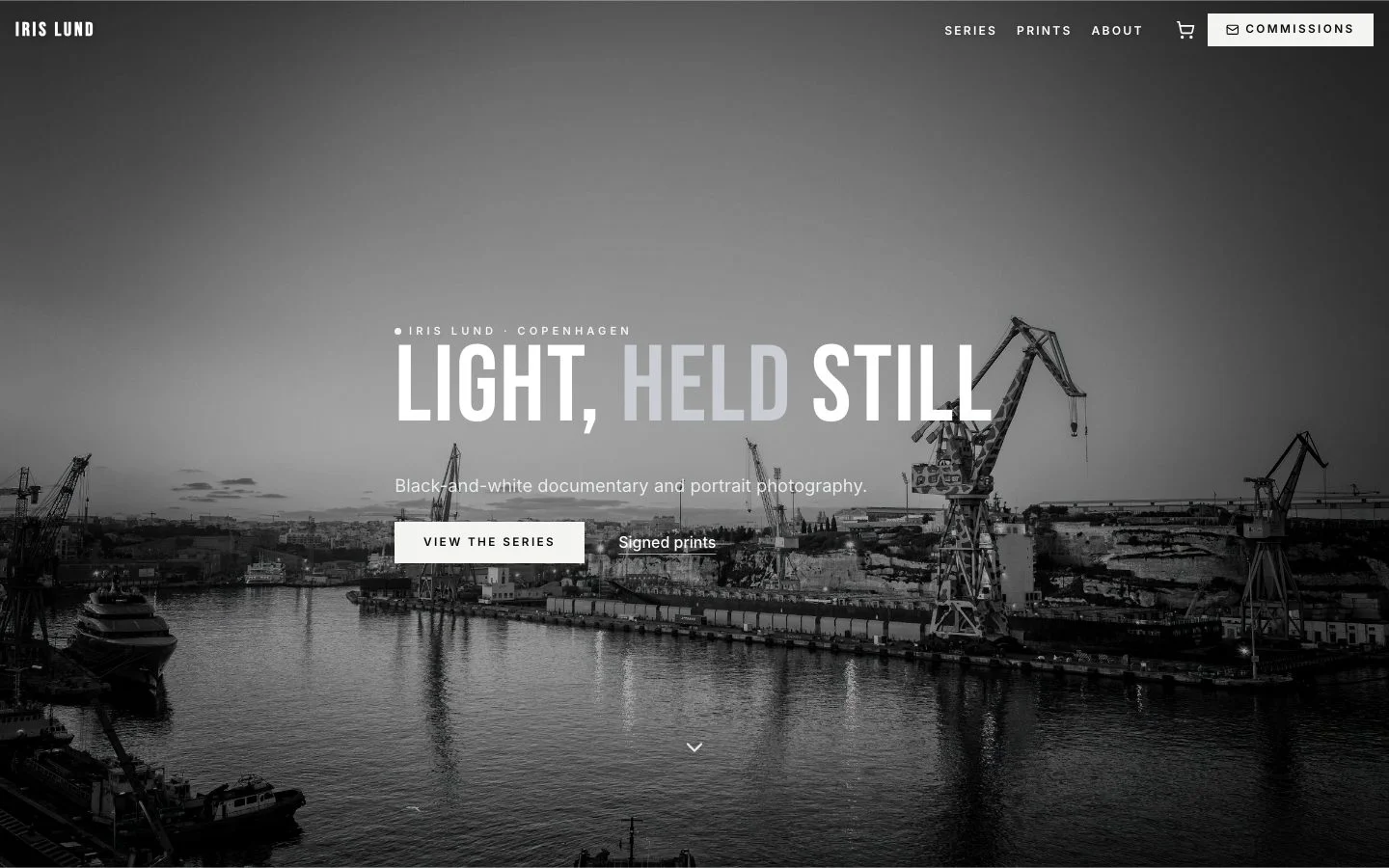
Documentary and portrait photographer · Copenhagen
Iris Lund
Style NOIR · English · 5 pages
“I'm Iris Lund, a black-and-white documentary and portrait photographer based in Copenhagen. I need a portfolio site that lets the pictures breathe: three series (Harbour Workers, Night Trains, Portraits), an about page, prints for sale (limited editions, signed), and a contact page for commissions. Minimal text, big images.”
Follow-up: “Make the home page open directly on a full-screen image.”
Follow-up: “On the Prints page, show a before/after of a raw scan next to the finished print, add a newsletter sign-up for new print releases, and link my Instagram (@irislund.photo).”
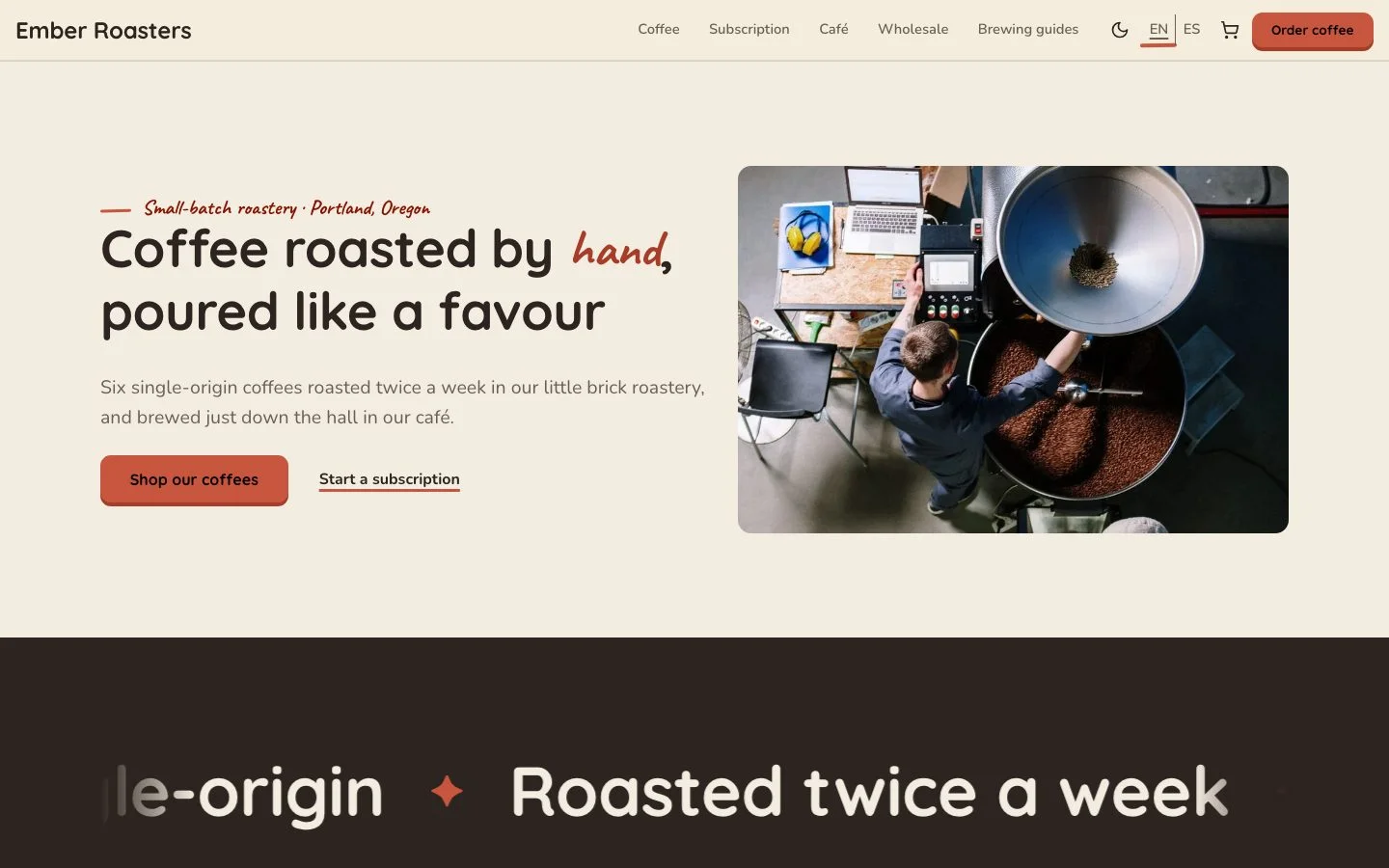
Coffee roastery and café · Portland
Ember Roasters
Style CROQUIS · English and Spanish · 9 pages
“Ember Roasters is a small-batch coffee roastery and café in Portland. Make a friendly, hand-made feeling website: an online shop with our six single-origin coffees (with tasting notes, roast level, grind options and prices), a coffee subscription, our café menu and opening hours, brewing guides as blog posts, and wholesale for restaurants.”
Follow-up: “Translate the website into Spanish.”
Follow-up: “Turn our brewing guides into a proper documentation section, give each method a brew card people can copy (dose, water, temperature, grind, time), and add James Hoffmann's V60 video to the pour-over guide: https://www.youtube.com/watch?v=AI4ynXzkSQo”